







Colour management for print production
Organise print colour management from the digital file to the finished sheet. Match monitors, colour references and measuring tools to your workflow. Identify where the colour difference appears before choosing equipment.
Color management: start with the problem
The printout is different from the image on the screen? The additional color doesn’t match the pattern? Describe where you notice a difference and how you assess compliance. Then check the devices, color profiles and viewing conditions.
Purchasing a monitor alone will not streamline the entire process. Color management combines on-screen work, file preparation and print evaluation. Therefore, select tools for the stage that requires control.
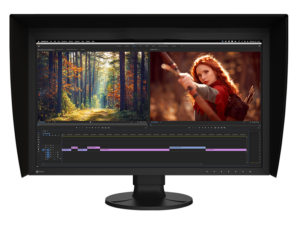
Inspect the image before sending the file to print
EIZO ColorEdge Graphics Monitors
Choose an EIZO ColorEdge monitor to prepare graphics, photos and materials for printing. Compare the range of displayed colors, resolution and calibration method. At WIT, we will help you take into account the computer and the type of work performed.
What to check before choosing?
Some models have a built-in calibration sensor. Others require a compatible external sensor. Check the equipment of your specific set, rather than assuming that every monitor includes a calibrator.
What is worth remembering?
The monitor itself will not ensure compatibility with the print. You also need the right profiles, program settings, and print evaluation conditions.
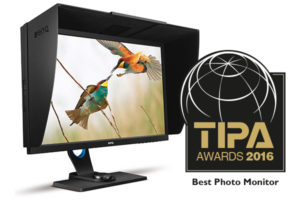
Match the station to graphics and photography
BenQ Graphics Monitors
Choose a BenQ monitor for your imaging workflow. Compare the purpose of the series, resolution, color range and calibration possibilities of a specific model. Thanks to this, you will choose a position for real tasks.
What to check before choosing?
Before purchasing, please provide the operating system, computer model and calibrator used. We will check what requirements the set and software must meet.
What is worth remembering?
Not every model supports the same calibration method. Also, do not assume compatibility with any sensor.
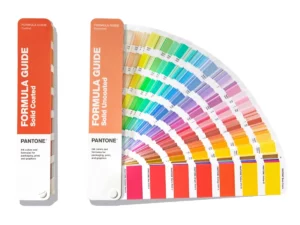
Agree on the color between the project and the print shop
Pantone color charts
Select a physical sample when you want to indicate a spot color and compare the print with the sample. Formula Guide helps you choose a Pantone color. Color Bridge allows you to compare a spot color with its simulation in CMYK printing.
What to check before choosing?
Select the Coated or Uncoated version according to the type of sample paper. Agree with the print shop on the color designation, substrate and method of print acceptance.
What is worth remembering?
CMYK will not accurately reproduce every spot color. The template does not guarantee the same effect on another surface.
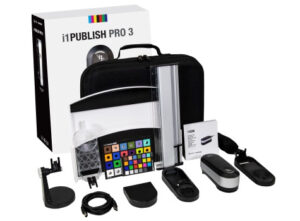
Select a device for a specific task
Calibration, profiling and color measurement
X-Rite solutions support color measurement and control. Choose a device for monitor calibration, print profiling or sample evaluation. First, determine which step of the process you want to control.
What to check before choosing?
Compare measurement range and device compatibility with software. Provide the monitor model, operating system and type of work performed. We will help you choose the right set.
What is worth remembering?
The monitor calibrator will not automatically replace the print measurement instrument. One kit does not necessarily cover all applications.
Select the next step for your position
How to choose color management tools?
| Your task | What to check? |
|---|---|
| You prepare the graphics on the screen | Monitor, calibration, profiles and program settings |
| You agree on a secondary color | Pantone pattern, paper type and acceptance method |
| You control the sample or print | Measuring instrument, software and evaluation conditions |
| You select ready-made ink | Standard, substrate, resistance and further processing |
When asking, please provide hardware, operating system and work performed. If you’re comparing kits, determine your budget and the features you need. You can check the prices and equipment of specific models in the elektroniki.eu store.
Need color for sheetfed offset? Check inks according to the Pantone scale or order the mixture in WIT ink mixing service. Compare to check a PDF file before printing Enfocus PitStop software.
Selection questions and practical limits
Should I buy a monitor, colour guide or measuring instrument first?
Start with the production decision you cannot control. A monitor supports screen evaluation, a guide defines a physical reference, and an instrument measures. Therefore, choose the missing step in your workflow rather than an isolated device.
Does a calibrated monitor guarantee the same colour on paper?
No. Paper, ink, lighting and the printing condition also influence the result. Use an appropriate profile and assess prints under controlled light. Calibration helps control the screen, but it cannot replace a print check.
Have a question? Get in touch
Need help choosing a product or checking price and availability? Tell us what you need. We will help you find a solution for your print shop.